Ask any teacher of Years 7 and 8 which class is hardest to keep engaged and the answer comes quickly. These students are new to the secondary timetable, juggling more teachers than ever, and deeply aware of what their peers think. Primary-school sticker charts feel babyish, and a pure lecture loses them by the second slide. Gamification can help, but only if it is designed for this age group, not lifted from the primary playbook.
This guide explains why middle school is such a hard audience, what the research says gamification can and cannot do, and how to build a classroom game that lasts a whole term rather than a fortnight. It uses Class Cortex, a free classroom management dashboard with no student accounts, for the practical examples.
Why Middle School Is the Hardest Group to Engage
The pattern shows up across the research. A 2026 meta-analysis of 125 longitudinal studies found that student engagement declines across adolescence, with the steepest drops around the move from primary to secondary school. The decline is modest on average, and many students stay engaged, but it is systematic and it shows up in behaviour, feelings about school and effort.
In Australia, a national study by the Education Engagement Taskforce covering roughly 16,000 students in 43 schools tracked engagement across Years 7 to 9 and found disengagement building through those years. Reporting on the study put it at about one in three Year 7 to 9 students showing signs of disengagement. The study's own summary breaks engagement into three parts: cognitive (beliefs and agency), emotional (relationships, belonging and enjoyment) and behavioural (effort). NSW research on the primary to secondary transition adds that a sense of belonging, built through quality connections with teachers and classmates, is what helps students carry engagement across the transition.
The lesson for a teacher is that belonging is not a soft extra. It is one of the main levers.
What Gamification in Middle School Can and Cannot Do
Gamification is not a cure-all. A meta-analysis in Educational Technology Research and Development reviewing 24 studies found that gamification had a small overall positive effect on intrinsic motivation, a moderate one on perceived autonomy, and by far its biggest effect on relatedness, the feeling of connection with others. The effect on perceived competence was minimal, and the systematic review that accompanied it flagged the same weak spots in real classrooms: students who did not feel competent or in control of their own choices.
That is a useful design brief for Years 7 and 8. Lean into what gamification does well, which is connection, and design around what it does badly, which is making students feel capable and autonomous. In practice that means four principles.
Principle 1: Build Belonging First With Squads
Teams are the strongest tool you have for relatedness. In Class Cortex you choose how many squads a class has, from 2 to 6 (four by default), named from ALPHA through FOXTROT, and students are shuffled into them and can be dragged between them. Each squad has its own XP bar on the Command Deck, so students are working for a team identity, not just their own score.
Middle years classes have social complications, so use the tools that manage them. Shuffle squads at the start of the term so friendship groups are mixed. On Pro, conflict-avoid rules let you name pairs of students who should not share a pod, and Shuffle, Auto-Seat and Rebuild Seating all respect them. See our Ordnance Map tutorial for the seating side, and our guide to using squad teams in the classroom for how to assign and rotate squads.
Principle 2: Reward Effort So Every Student Can Win
The competence problem is real. If XP goes only to the students who already know the answer, the rest quietly opt out. Award XP for starting promptly, asking a good question, helping a classmate and improving on last time. Keep the scale small and consistent, with +10 for a good moment and larger awards saved for real achievements, and use CC-Achieve badges (worth +50 XP) to recognise qualities such as Teamwork and Focus, not only marks. Our guide to classroom XP points covers a simple rate card.
Be careful with visible rankings. A leaderboard that lists every student from first to last is a strong motivator for the top of the class and a public humiliation for the bottom. Lead with squad and class totals instead, since a student can contribute to a squad without ranking against a friend. Because individual XP flows into the squad and the class weekly total automatically, small acts of effort add up for the team even when the student is not near the top personally. To see how the individual, squad and class layers connect, read our guide to classroom reward tiers.
Principle 3: Give Students Choice and Identity
Early adolescents care intensely about identity, and the research flags autonomy as a weak spot. So build in choices that are real. Let the class propose the rewards that go on the Reward Gacha grid: there are 18 editable tiles, and the Weekly XP Target unlocks a class-wide prize draw when the class reaches it. Students can also spend their own earned XP on avatars through the Neural Core Economy. The first row of CORE avatars is free for every student, everything else costs XP that you price yourself, and once bought an avatar is owned permanently.
Choice also works for content. Have students write the questions for a Boss Battle themselves, which builds ownership and competence at the same time, since writing a good question means understanding the material.
Principle 4: Keep It Live With Boss Battles and Quiet Streaks
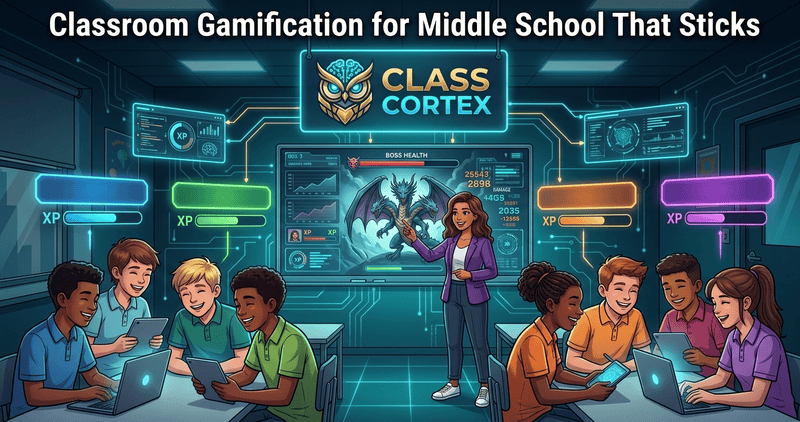
Middle school students respond to things that happen now. Boss Battle turns a multiple-choice review into a whole-class fight: students join at classcortex.com/join by scanning a QR code on their own device, with no account, answer as the teacher reveals each question, and the class wins or loses together. The free tier allows up to 5 questions per battle and Pro allows 20, and defeating the boss awards XP to the class. Read our classroom Boss Battle guide for setup.
The noise monitor works well for this age too, because it turns quiet into a team goal rather than a teacher demand. On the free tier the Sonic Defence noise monitor fires a visual alarm and audio cue when the room gets loud, and the Quiet Streak awards bonus XP for every 30 seconds of quiet. On Pro, Noise Auto-Penalty adds automatic XP deduction, hands free.
A Four-Week Middle School Gamification Plan
- Week 1, set the foundations: load the roster, form squads, and teach the rate card once. Award small amounts of XP often.
- Week 2, add a live event: run your first Boss Battle as a review lesson and let students write some of the questions.
- Week 3, make it a class goal: set the Weekly XP Target from what you saw in week 1, fill the reward tiles with student suggestions, and turn on the noise monitor.
- Week 4, add identity and review: open the avatar shop, set prices, and ask students what is working. Shuffle squads if one team has run away with it.
For a broader framework, see our guides to setting up a gamified classroom from scratch and student engagement strategies for secondary school.
Pitfalls to Avoid With Gamification in Middle School
- Novelty wears off: keep adding live events, and remember that the weekly counter resets so the goal is always fresh.
- Over-deducting: XP works best as recognition. Use minus points sparingly and always leave a way to earn back.
- One squad running away: reshuffle each term, and on Pro let the Squad Airdrop give bonus XP to a squad that is not leading.
- Forgetting the anxious student: the picker lets you mark students as exempt from being selected while the on-screen scramble still shows every name, so nobody is singled out.
Everything runs in your browser, with no student accounts and nothing to install, and the free tier covers one class of up to 30 students.
No student accounts. No credit card. No install.
Frequently Asked Questions
What is the best way to gamify a middle school classroom?
Start with belonging and effort rather than badges and leaderboards. Put students into small squads, reward effort and helpful behaviour with simple XP, give the class a shared weekly goal, and add live activities such as a Boss Battle so students feel part of something. In Class Cortex all of this runs from one browser tab, free, with no student accounts.
Does gamification work for Year 7 and 8 students?
The research is encouraging but not a guarantee. A meta-analysis of gamification and motivation found the strongest effect was on students' sense of relatedness, a small overall effect on intrinsic motivation and minimal effect on competence, and it warned that classes often fail when students feel a lack of competence or autonomy. That is why team-based, effort-focused design suits Years 7 and 8 better than a plain individual leaderboard.
How do I stop the same students winning every time?
Reward effort and behaviour, not only correct answers, and lead with squad and class totals rather than individual rankings. The class Weekly XP Target resets each week, so the goal is fresh each new week, and on Pro the Squad Airdrop gives bonus XP to a random squad that is not currently in the lead. Reshuffling squads each term also keeps the race close.
Do students need accounts or their own devices?
No student accounts are needed for anything. Most of Class Cortex runs on the teacher's screen. Boss Battle is the exception where students use a device, and they join by scanning a QR code at classcortex.com/join with no email or password. Check that your school network allows peer-to-peer connections before your first battle.
Is Class Cortex free for middle school teachers?
Yes. The free tier covers one class of up to 30 students with XP, HP, squads, the Weekly XP Target, the Reward Gacha, Boss Battles with up to 5 questions, four training games and the noise monitor. Pro is AUD $49 per year and adds 12 class slots, 20-question Boss Battles, boss roles, conflict-avoid seating rules and other extras.
Further Reading