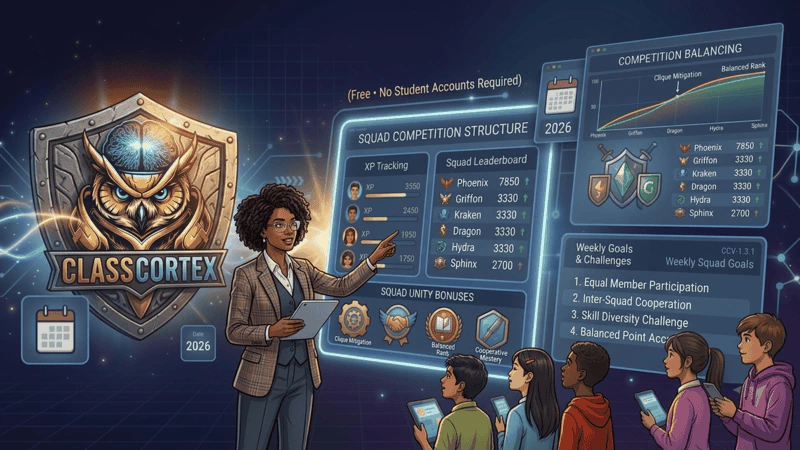
Split the class into small teams that share one XP total, and assign them yourself so high, middle and emerging performers are spread evenly. Check each student's contribution, not just the squad total, set weekly goals so lagging squads get a fresh start, and rebalance after two or three weeks if one squad pulls clearly ahead.
Splitting a class into competing teams is one of the oldest tricks in classroom management, and one of the easiest to get wrong. Done well, squad teams create peer accountability that reduces how much behaviour management falls on the teacher alone. Done poorly, one squad pulls ahead in the first fortnight, the rest disengage, and the entire system quietly collapses by week four.
The difference is almost never the concept. It is the setup: how squads are assigned, how contribution is tracked, and whether the structure gives a lagging squad any realistic way back into contention. This guide covers the mechanics of running classroom squad teams well, using the Command Deck squad system in Class Cortex as the working example throughout.
Why Squad Teams Work Better Than a Single Leaderboard
A single class-wide leaderboard ranks thirty individuals against each other, which means twenty-nine students are, by definition, not in first place. For students who are unlikely to ever top an individual leaderboard, that framing offers very little reason to engage. Squad teams solve this by making the meaningful unit of competition a group of five or six rather than one student against twenty-nine others. A student who will never be the top individual performer can still be part of the squad that wins the week, which gives nearly everyone a plausible stake in the outcome rather than just the handful of students already at the top. Our classroom leaderboard guide covers how to display squad standings without singling anyone out.
How Squad Teams Work in Class Cortex
The Command Deck runs up to six squads, ALPHA, BRAVO, CHARLIE, DELTA, ECHO, and FOXTROT, each with its own XP bar on the live scoreboard. Every student's individual XP contributes to their squad's total, so personal effort and team standing are visible on the same screen at the same time. A weekly class XP target and CC-Achieve milestone badges for individual students give the term structure beyond one long, undifferentiated race to the end. For the mechanics of how XP itself is earned and tracked, see our classroom XP system guide. To set squads up in the app, follow the Command Deck guide.
The Assignment Problem: Preventing One Dominant Squad
Three rules for assigning squads that actually stay competitive
- Never let students self-select: Friendship groups cluster together, and the dominant social group in a class will almost always produce the dominant squad. Assign squads yourself before the first lesson.
- Distribute performance levels evenly: Spread high, middle, and emerging performers across every squad so no single squad starts with a structural advantage. Use whatever data you have, prior achievement, other teachers' notes, or first-week observation if it is a new cohort.
- Rebalance after two to three weeks, not after one: Give the initial assignment time to settle before judging whether it is unbalanced. If one squad has pulled meaningfully ahead by week three, move one or two students between squads rather than waiting out an entire term of foregone conclusion.
Balancing Individual Contribution Within a Squad
A common failure mode is one or two high performers effectively carrying an entire squad while quieter students contribute little and are never asked to. Left unaddressed, this produces resentment inside the squad and disengagement from the students who feel they are along for the ride. Set an expectation, even informally, that every squad member should be contributing XP most weeks, and check the per-student breakdown periodically rather than only looking at the squad total. A squad total of 400 XP earned by one student and four students at zero is a very different situation to the same total spread across all five, even though the scoreboard displays identically.
Setting Weekly Squad Goals
A term-long cumulative total is demotivating for any squad that falls behind early, since the gap only grows and the goalposts never reset. Weekly squad goals solve this by giving every squad a fresh target every Monday, regardless of how the previous week went. A squad that had a rough week one can still win week two outright. This keeps the competition live for the whole class rather than only for whichever squad happens to be ahead by week three, and it is worth pairing with a small, visible reward when a squad clears its weekly goal.
Squad Teams and the Noise Monitor
Squad-based accountability extends naturally into behaviour management through the Sonic Defence Noise Monitor. On the free tier, sustained quiet earns the whole room a Quiet Streak bonus every thirty seconds, which squads can frame as a shared target alongside their XP goals. On Pro, crossing the noise threshold automatically deducts XP from the class scoreboard with no teacher intervention required, which gives squads a direct, self-policing incentive to manage their own volume rather than waiting for a teacher warning.
Squad Teams in Boss Battle
Squad identity carries directly into live Boss Battle sessions, where students join at classcortex.com/join via QR code with no accounts required. On Pro, students can take on Attacker, Defender, or Support roles within their squad during a battle: Attacker deals bonus damage on correct answers but a wrong answer heals the boss a small amount, Defender contributes passive bonus damage every round regardless of accuracy, and Support protects the answer streak through one imperfect round, once per streak. Running the first Boss Battle a lesson or two after squads are announced, rather than on day one, gives students just enough squad identity for the multiplayer format to feel meaningful. For the fuller setup sequence, see our guide on first day classroom management.
Common Squad Team Mistakes
- Letting students choose their own squads: This is the single most common cause of an unbalanced term.
- Only tracking the squad total, never the individual breakdown: Hides free-riding and resentment building inside a squad until it surfaces as a behaviour issue.
- Running only a cumulative term total with no weekly reset: A squad that falls behind in week one has no realistic path back and disengages for the rest of the term.
- Waiting too long to rebalance an unbalanced squad: If one squad is clearly dominant by week three, address it rather than hoping it self-corrects.
The common squad mistakes above, what each one causes, and the fix this guide recommends.
| Mistake | What goes wrong | Fix |
|---|---|---|
| Letting students choose squads | Friends cluster, unbalanced term | Assign squads yourself |
| Uneven performance levels | One squad starts ahead | Spread performers evenly |
| Only tracking the squad total | Hides free-riding and resentment | Check per-student breakdown |
| Cumulative term total only | Lagging squads give up | Add weekly squad goals |
| Rebalancing too late | One squad dominates all term | Rebalance after two to three weeks |
Keeping Squad Teams Working All Term
Squad teams are a structural tool, not a novelty. The systems that keep working past week four are the ones with weekly resets, visible individual contribution, and periodic high-stakes events like Boss Battle that give the format fresh energy without changing its rules. For the broader picture of how squad teams fit into a full-term gamification setup, see our guide on starting the school year with gamification.
No student accounts. No credit card. No install.
Frequently Asked Questions
How do squad teams work in a gamified classroom?
Squad teams split a class into small competing groups that each earn a shared XP total. In Class Cortex, up to six squads run automatically, ALPHA through FOXTROT, each with its own XP bar on the Command Deck scoreboard. Individual student actions contribute to the squad total, which creates peer accountability alongside personal progress.
How many students should be in each squad?
Five to six students per squad works well for a class of thirty using six squads. Smaller squads make individual contribution highly visible but are vulnerable to collapsing if one or two students are absent. Larger squads dilute individual accountability, since a quiet student can hide inside a bigger group without the gap being obvious.
How do you stop one squad from dominating all term?
Assign squads yourself rather than letting students self-select, distribute high, middle, and emerging performers evenly across every squad, and review the standings after two to three weeks to rebalance if one squad has pulled significantly ahead. Weekly squad goals, rather than only a cumulative term total, also give lagging squads a fresh target to compete for instead of an unreachable gap to close.
Can Boss Battle be played by squads?
Yes. Boss Battle is live multiplayer via PeerJS WebRTC where students join at classcortex.com/join with no accounts. On Pro, students can take on Attacker, Defender, or Support roles within their squad during a battle, with Attacker dealing bonus damage on correct answers, Defender contributing passive bonus damage every round, and Support protecting the answer streak through one imperfect round, once per streak.
Is the squad system free in Class Cortex?
Yes. The full six-squad Command Deck system, including per-squad XP bars and a weekly class goal, is available on the free tier for one class slot and up to 30 students. A Pro tier is available for AUD $49 per year with additional class slots and features including automatic noise penalty and Pro-only Boss Battle roles.
Further Reading