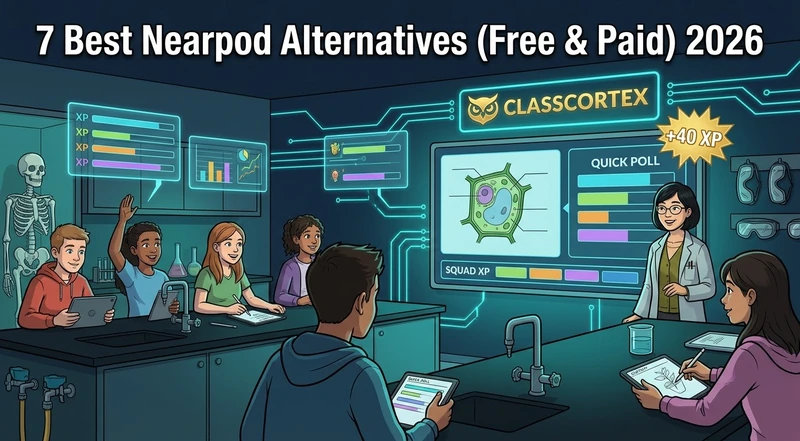
The best Nearpod alternatives in 2026 are Pear Deck for interactive Google Slides and PowerPoint lessons, Wayground for self-paced quizzes and homework, ClassPoint for interactive PowerPoint, Deck.Toys for self-paced lesson paths and Formative for assessment data. Class Cortex suits teachers who want lesson engagement to earn XP all term.
Nearpod turns a slideshow into an interactive lesson: students join with a code and answer polls, quizzes, drawings and activities on their own devices, either live with the teacher or at their own pace. Its free Silver plan is generous for one class, and there is a large library of ready-made K-12 lessons.
Teachers look for a Nearpod alternative when they hit the free plan's limits, want to stay inside Google Slides or PowerPoint, want deeper assessment data, or want the participation in a lesson to count for something afterwards. This guide compares seven Nearpod competitors on what each does best, what the free plan includes, what the paid plan costs and how students join.
Quick Picks
- Best for Google Slides and PowerPoint: Pear Deck (free Teacher plan with student-paced mode)
- Best for self-paced quizzes and homework: Wayground, formerly Quizizz (free for teachers)
- Best inside PowerPoint: ClassPoint (free for 25 students, with stars, levels and badges)
- Best for self-paced lesson paths: Deck.Toys (free plan with locks, paths and arcade games)
- Best for assessment data: Formative (live response data, auto-grading and rubrics)
- Best for engagement that lasts all term: Class Cortex (XP, squads and Boss Battles, no student logins)
How We Compared These Tools
Prices and limits were checked on each tool's own website or pricing page on 10 November 2026, or on its own help centre where noted, and are shown in the currency the tool publishes. Each tool was judged on what it does best, what the free plan includes, the paid price, how students join, and whether it runs live, student-paced or both. Limited-time sale prices are left out.
Disclosure: Class Cortex is our own product. It gets the same treatment as every other tool here, including a plain note on who should not pick it. No tool paid to be included.
Is Nearpod Free? What the Silver Plan Includes
Yes. Nearpod's free Silver plan includes its core features with 300 MB of storage and up to 40 student joins per lesson. Gold is USD $159 a year (1 GB, 75 joins, the AI Create question generator, the Google Slides add-on and the option to run several sessions at once), and Platinum is USD $397 a year (5 GB, 90 joins and student notes). School and district licences, by quote, raise the limit to 250 students per session and add student accounts, rostering, shared libraries and Nearpod's Math and Social Studies programs.
For one class the free plan works well. Teachers usually switch when storage fills up, when they would rather build in Google Slides or PowerPoint directly, or when they want a more game-like feel.
1. Class Cortex: Best Nearpod Alternative for Engagement That Lasts
Price: free tier (1 class, up to 30 students); Pro AUD $49 a year. Students join with: a QR code at classcortex.com/join, with no accounts. Best at: running the class around your lesson content rather than replacing it. Every student has XP that carries across every lesson, up to six squads compete on the scoreboard, and live Boss Battles turn review questions into a class-versus-boss game. Teach your Nearpod or slides lesson, then let participation and quiz results feed XP.
The same tab holds a timer, random picker, seating map, whiteboard and a noise monitor that awards Quiet Streak bonus XP on the free tier and deducts class XP automatically on Pro. Rosters and XP stay in the teacher's browser. Our guide to gamifying your classroom without losing control shows the routine. Not for: building interactive slide lessons or a ready-made lesson library, which Nearpod and Pear Deck do and Class Cortex does not.
2. Pear Deck: Best for Google Slides and PowerPoint Lessons
Price: Teacher Free is USD $0; Teacher Premium is USD $149 a year with the educator discount; schools and districts by quote. Students join with: a session code, and they can join anonymously. Best at: adding interactive questions, polls and quizzes to slides you already have, with student-paced mode, locks and timers, ready-made lessons and Immersive Reader, working with Google and Microsoft tools. Premium adds a teacher dashboard with names, drawing and draggable responses, and feedback after the session. Not for: teachers who want a game-like experience. Visit Pear Deck
3. Wayground: Best for Self-Paced Quizzes and Homework
Price: free for teachers to sign up; school and district plans by quote. Students join with: a game code. Best at: self-paced quizzes, homework, AI-built assessments, presentations, videos and flashcards, with accommodations such as reading supports and translation. Formerly Quizizz; our Quizizz (Wayground) alternatives guide covers it in depth. Not for: a teacher-led lesson with slides and activities woven together. Visit Wayground
4. ClassPoint: Best Inside PowerPoint
Price: Basic is free (25 students per class, up to 3 classes, 5 activity types, 5 activities per presentation); Pro is USD $96 a year (USD $8 a month billed annually) for 200 students per class, all 8 activity types and quiz mode with auto-grading; Premium by quote. Students join with: a class code. Best at: turning PowerPoint slides into live activities, from multiple choice and word clouds to drawing and image upload, with stars, levels, badges and a leaderboard even on the free plan. Our ClassPoint alternative guide compares it further. Not for: Google Slides users. Visit ClassPoint
5. Deck.Toys: Best for Self-Paced Lesson Paths
Price: free plan (2 classrooms, up to 40 students each, 20+ arcade games); Pro USD $10 a month billed annually (USD $120 a year). Students join with: Google, Microsoft, guest access or a username and password. Best at: lesson decks that work like a map, with locks, treasure keys, paths and checkpoints, drag-and-drop, crosswords, mazes and video, run in teacher sync mode or student-paced, plus two-minute arcade games. Not for: teachers who want students to join with only a code. Visit Deck.Toys
6. Formative: Best for Assessment Data
Price: Classroom plan USD $249 a year per teacher; Small School plan USD $3,125 a year for up to 250 students; district pricing by quote; no free plan listed. Students join with: a join code. Best at: unlimited lessons, assessments and practice sets with live response data as students work, auto-grading, rubrics and feedback, an AI assistant and anti-cheating tools. Not for: teachers who need a free plan. Visit Formative
7. Kahoot: Best for a Quick Live Quiz
Price: a free basic plan for teachers (Kahoot's help centre lists 40 participants a game for K-12 teachers); Kahoot!+ plans start at USD $36 a year. Students join with: a game PIN and a nickname. Best at: the energetic whole-class quiz at the end of a lesson. If you are weighing the two, read our Nearpod vs Kahoot comparison. Not for: full interactive lessons. Visit Kahoot
Nearpod Alternatives Compared (November 2026)
Here is how all seven compare with Nearpod itself, using the published prices on 10 November 2026.
| Tool | Best at | Free plan | Paid plan | Pace |
|---|---|---|---|---|
| Nearpod | Interactive lessons | Silver, 40 joins, 300 MB | USD $159/yr | Live or student-paced |
| Class Cortex | XP, squads, Boss Battles | 1 class, 30 students | AUD $49/yr | Teacher-led |
| Pear Deck | Slides-based lessons | Teacher Free | USD $149/yr | Live or student-paced |
| Wayground | Quizzes, homework | Free for teachers | Schools by quote | Self-paced |
| ClassPoint | Interactive PowerPoint | 25 students, 3 classes | USD $96/yr | Live |
| Deck.Toys | Lesson paths, arcade | 2 classrooms | USD $120/yr | Synced or student-paced |
| Formative | Assessment data | None listed | USD $249/yr | Live or self-paced |
| Kahoot | Live quiz show | 40 (K-12 teachers) | From USD $36/yr | Live |
Other Nearpod Alternatives Worth Knowing About
Teachers also mention Edpuzzle for interactive video lessons, Lumio from SMART for interactive whiteboard lessons and Google Forms for simple self-marking checks; we could not check Edpuzzle's or Lumio's pricing on their own sites this time, so we have not quoted it. For quiz games rather than lessons, see our Kahoot alternatives and games like Gimkit guides, and for whiteboard-led lessons, our free smart board software guide.
What none of these lesson tools do is keep engagement going between lessons, with XP for every student, squad standings, live Boss Battles and a noise monitor (Quiet Streak XP on the free tier, automatic XP deduction on Pro) feeding the same scoreboard, and no student logins. That is the gap Class Cortex fills.
Pick a Nearpod Alternative by How You Teach
| How you teach | Try | Why |
|---|---|---|
| From Google Slides | Pear Deck | Interactive questions added to your own slides |
| From PowerPoint | ClassPoint, Pear Deck | Activities without leaving PowerPoint |
| Students working alone | Wayground, Deck.Toys | Self-paced quizzes or lesson paths |
| Assessment-heavy | Formative | Live response data, rubrics, auto-grading |
| Behaviour and motivation | Class Cortex | XP and squads that last all term |
Which Nearpod Alternative Is Right for You?
Stay with Nearpod if: the free Silver plan's 40 joins and 300 MB cover you, or your school already has a licence, and you value its ready-made lesson library.
Choose Pear Deck or ClassPoint if: you want to keep building in Google Slides or PowerPoint and add interactive questions there.
Choose Wayground or Deck.Toys if: you want students working through quizzes or lesson paths at their own pace.
Choose Formative if: assessment data and grading are the priority.
Choose Kahoot if: all you need is a lively quiz to end a lesson.
Choose Class Cortex if: you teach Years 5 to 10 and want the effort students put into lessons to count, with XP, squads and Boss Battles that carry from lesson to lesson and no student logins. It runs happily alongside Nearpod or any tool above.
No student accounts. No credit card. No install.
Frequently Asked Questions
What is the best Nearpod alternative?
It depends on how you teach. Pear Deck is the best Nearpod alternative for Google Slides and PowerPoint lessons, Wayground for self-paced quizzes and homework, ClassPoint for interactive PowerPoint, Deck.Toys for self-paced lesson paths and Formative for assessment data. Class Cortex is best if you want lesson engagement to earn XP that carries over all term.
Is Nearpod free?
Yes. Nearpod's free Silver plan includes its core features with 300 MB of storage and up to 40 student joins per lesson. Gold is USD $159 a year (1 GB, 75 joins) and Platinum USD $397 a year (5 GB, 90 joins), and school and district licences by quote allow 250 students per session.
What are free alternatives to Nearpod?
Free alternatives to Nearpod include Pear Deck's Teacher Free plan, Wayground (free for teachers), ClassPoint Basic (25 students per class), Deck.Toys (2 classrooms, 20+ arcade games), Kahoot's free plan for quick quizzes and Class Cortex's free tier for one class of up to 30 students.
Do students need accounts for Nearpod alternatives?
Mostly no. Students join Nearpod, Pear Deck, Wayground, ClassPoint, Formative and Kahoot with a code, and Pear Deck lets them join anonymously. Class Cortex needs no student logins at all. Deck.Toys is the exception, with students joining by Google, Microsoft, guest access or a username and password.
Which Nearpod alternative works inside PowerPoint?
ClassPoint runs inside PowerPoint, turning slides into live activities with stars, levels, badges and a leaderboard, free for 25 students per class. Pear Deck also works with PowerPoint as well as Google Slides, with a free Teacher plan and Teacher Premium at USD $149 a year.
What are other alternatives to Nearpod besides Class Cortex?
Besides Class Cortex, the best Nearpod alternatives are Pear Deck for slide-based interactive lessons, Wayground for self-paced quizzes, ClassPoint for PowerPoint, Deck.Toys for lesson paths and Formative for assessment, with Kahoot for a quick live quiz. Class Cortex is the only one that keeps XP, squads and Boss Battles going between lessons, with no student logins.
Further Reading