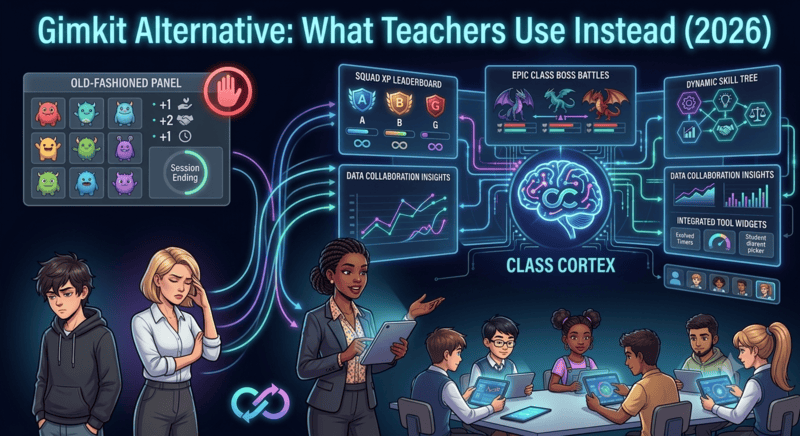
Gimkit earned its reputation. The farming mechanic - answer questions, earn in-game currency, spend on upgrades mid-session - is a genuine improvement on the basic quiz format. Students are making decisions, not just answering in sequence. For the duration of a Gimkit session, engagement is real.
But teachers searching for a gimkit alternative free from its limitations almost always name the same three problems. First, Gimkit's free tier is heavily restricted - the modes students actually enjoy are paywalled. Second, student accounts are required for anything meaningful, which creates the familiar cycle of IT requests, forgotten passwords, and ten minutes of setup that eats into lesson time. Third, and most fundamentally, every Gimkit session is self-contained. The currency resets. The leaderboard resets. Wednesday's effort has no relationship to Thursday's lesson.
The teachers who find lasting success with classroom gamification are the ones who solve the persistence problem - building an XP economy that runs all term, not just during dedicated game sessions. Our guide on how to gamify your classroom without losing control covers exactly how that model works and why it holds engagement where session-based tools tail off.
The Problem With Session-Based Quiz Tools
Games like Gimkit are best understood as events - high-engagement activities with a clear start and end. That model works well as an occasional reward or review format. It breaks down as a classroom management strategy because it only applies during the game itself. Between Gimkit sessions, there is no system running. Student behaviour, noise, task completion, and effort carry no weight from one lesson to the next.
Secondary students are quick to identify when the system has no memory. If last Tuesday's excellent effort in the Gimkit session has no bearing on what happens today, the incentive to maintain consistent behaviour evaporates. The engagement spike is real but it is narrow - one period, one mode, one reset.
The most effective gimkit alternative free approach combines session-based engagement formats with a persistent management layer that connects everything together. That is the structural difference between a quiz tool and a classroom management system.
1. Class Cortex - Best Gimkit Alternative for Persistent XP
Class Cortex is built on the insight that what makes Gimkit engaging - the economy, the competition, the sense that effort has a consequence - does not need to end when the session does. The XP system runs all term. Squad leaderboards are always live. And when you want a Gimkit-style session-based activity, the Boss Battle and Neural Training games provide exactly that format, feeding results directly into the persistent scoreboard.
How Class Cortex solves what Gimkit cannot:
- XP that never resets: Every student has individual XP and HP that accumulates across every lesson. The class leaderboard on Friday reflects everything from Monday onwards. There is no end-of-session wipe - which means the economy is always running, not just during a scheduled game slot.
- Six competing squads, always live: Students are divided into ALPHA through FOXTROT squads, each with a persistent XP bar on the main display. Squad competition operates in the background of every lesson. Squadmates self-regulate because the leaderboard is public and permanent - peer accountability without teacher effort.
- Neural Training Simulator - session games that feed the term: Eight built-in classroom mini-games (four free, four Pro) that automatically award class XP on completion. DATA_BREACH tests typing speed, SECTOR_MATH covers mental arithmetic, MAINFRAME_HACK runs logic puzzles, and CIPHER_PROTOCOL delivers code-breaking challenges. Every Neural Training session adds to the squad totals rather than resetting independently.
- Boss Battle - the session-based format done right: Students join at classcortex.com/join via QR code on their own devices. No accounts. The teacher reveals questions, correct answers damage the boss, wrong answers cost the class HP. The whole class wins or falls together - and the XP earned carries into the term leaderboard.
- Sonic Defence Noise Monitor: The microphone-based noise monitor runs during regular lessons, not just game sessions. On the free tier, breaching the calibrated threshold fires a visual alarm, audio cue, and tracks the Quiet Streak - awarding bonus XP every 30 seconds the room stays under threshold. Pro users get Noise Auto-Penalty mode: automatic XP deduction when noise crosses the line, with no teacher action required.
- Everything in one tab, zero student accounts: Timer, seating map, random student picker, whiteboard, scoreboard - all running simultaneously. Students never create an account, download an app, or remember a password for any of it.
Price: Permanently free core tier. Pro is AUD $49 / year.
Best for: Years 5-10. Teachers who want the engagement of session-based tools extended across the whole term.
2. Blooket - More Generous Free Tier, Same Reset Problem
Blooket is the closest structural sibling to Gimkit in this comparison - both are session-based game platforms with multiple game modes and collectible elements. Blooket's free tier is meaningfully more accessible than Gimkit's, which is why many teachers who run into Gimkit's paywalls land on Blooket next. For a full breakdown of the Blooket field, see our Blooket alternative guide which covers the same secondary-specific limitations in detail.
The core limitation is identical to Gimkit's: sessions reset. Blooket's Blook collection system does carry across sessions for students who are logged in, but the in-class leaderboard and game results do not connect to anything persistent. For secondary students who have cycled through Blooket's game modes, the novelty ceiling arrives quickly.
Price: Free tier available with most modes unlocked. Plus from approximately USD $12/month. Best for: Teachers who specifically want rotating session-based game formats and can accept the novelty lifecycle.
3. Kahoot - Reliable but Thin
Kahoot remains the most widely recognised quiz tool in education and that familiarity has value - most students know the format on sight, which removes the setup friction of explaining a new system. The music, the countdown, and the podium at the end are proven engagement triggers.
For secondary teachers specifically, Kahoot's limitations are its age. The format is so well known that it no longer generates novelty for older students who have been using it since Year 3. The free tier has also been progressively restricted, with question limits and features that were previously open now sitting behind a subscription. There is no persistent layer and student accounts are required for tracked results. Our Kahoot alternatives guide covers the full picture if Kahoot is your current default and you are looking to expand.
Price: Free tier available. Pro from approximately USD $17/month. Best for: Quick one-off review activities where the format's familiarity is the asset.
4. TriviaMaker - The Keyword Occupier
TriviaMaker currently dominates search results for "gimkit alternative" despite being a fundamentally different category of tool. It is a trivia game builder - think Jeopardy-style templates that teachers customise with their own questions. The format is genuinely useful for subject-specific review activities where you want a game show structure rather than a quiz race.
It is not a classroom management system, has no persistent XP layer, requires teacher content creation for every use, and has no noise management, seating, or utility tools. If you are looking for a Gimkit replacement because you want richer classroom management rather than a different quiz format, TriviaMaker does not solve the problem. It is in a separate category altogether.
Price: Free tier available. Pro from approximately USD $6/month. Best for: Teachers who want to build custom Jeopardy-style trivia games for specific review topics.
Side-by-Side Comparison
| Feature | Class Cortex | Gimkit | Blooket | Kahoot |
|---|---|---|---|---|
| Persistent XP Across Lessons | ✓ All term | ✗ Resets | ✗ Resets | ✗ Resets |
| No Student Accounts | ✓ | ✗ Required | Partial | Partial |
| Free Core Tier | ✓ Full featured | ✗ Heavily limited | ✓ Most modes | Limited |
| Squad / Team Competition | ✓ 6 squads, all term | In-session only | In-session only | In-session only |
| Noise Monitor | ✓ + Auto-Penalty (Pro) | ✗ | ✗ | ✗ |
| Seating Map + Student Picker + Whiteboard | ✓ All included | ✗ | ✗ | ✗ |
| Annual Cost (AUD approx.) | Free / $49 | Free / ~$220+ | Free / ~$90+ | Free / ~$300+ |
The Verdict
If you use Gimkit occasionally for review sessions and it works for your class, there is no urgent reason to replace it. But if you are searching for a gimkit alternative because you want the engagement to extend beyond a single period - because you want a system that manages your classroom on a Tuesday morning with no game running, not just a Friday afternoon quiz slot - then the comparison leads to a clear conclusion.
Class Cortex is the only tool in this list that functions as a classroom management system rather than a quiz format. The XP accumulates across the whole term. The Sonic Defence Noise Monitor runs during every regular lesson, not just game sessions. The squad leaderboard is always visible on the main display. When you do want a session-based activity, the Boss Battle and Neural Training games provide that format and feed directly into the persistent economy rather than resetting independently.
You can have it running on your smartboard in under five minutes. Open classcortex.com/app in Chrome, add your class roster, assign squads, and the system is live before the bell rings. No student accounts. No install. No IT request.
No student accounts. No credit card. No install.
Frequently Asked Questions
What is the best free Gimkit alternative for teachers?
Class Cortex is the best free Gimkit alternative for secondary teachers who want persistent engagement rather than session-based quiz mechanics. Where Gimkit resets after every game, Class Cortex carries XP and squad scores across every lesson all term. It includes eight built-in training games, a live multiplayer Boss Battle, a noise monitor, seating map, and whiteboard - all free, with no student accounts required.
Why do teachers look for Gimkit alternatives?
The main reasons teachers look for Gimkit alternatives are cost, account requirements, and the reset problem. Gimkit's free tier is very restricted - most engaging modes require a paid plan. All functional modes require student accounts, which creates IT friction and password management overhead. And every session resets, meaning there is no persistent XP or squad competition that carries across the week or term.
What games are similar to Gimkit but free?
Class Cortex is the most capable free Gimkit alternative - persistent XP, squad teams, Boss Battles, noise monitor, and training games, all free with no student accounts. Blooket offers similar session-based game modes with a more generous free tier. Kahoot is free for basic live quiz use. Quizizz (now Wayground) offers self-paced quiz delivery on a free tier.
Does Class Cortex require student accounts like Gimkit?
No. Class Cortex requires zero student accounts, logins, or app downloads. The teacher's entire classroom management system lives in the browser. Students join Boss Battles by scanning a QR code at classcortex.com/join - no email, no password, under thirty seconds for a full class. COPPA and GDPR compliant by design.
Can Class Cortex replace Gimkit for classroom review activities?
Yes. Class Cortex includes eight built-in Neural Training games covering typing speed, mental arithmetic, logic puzzles, and code-breaking - all of which award class XP automatically on completion and work for review and consolidation activities. The Boss Battle mode adds a live multiplayer Q&A format for any subject. Unlike Gimkit, all progress feeds into a persistent XP system that runs all term.
Further Reading