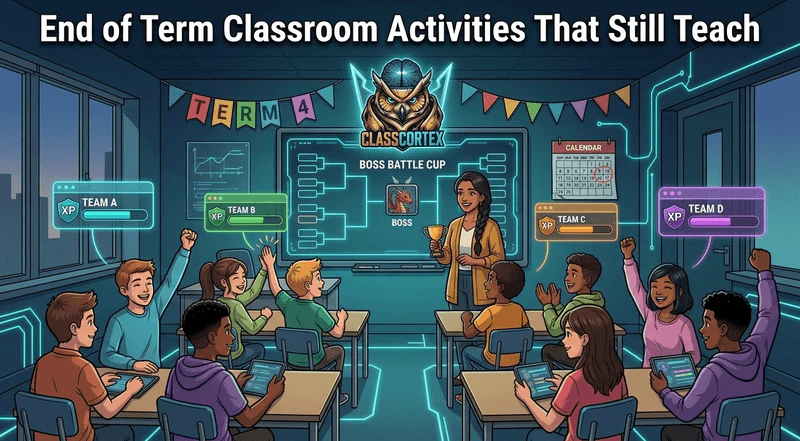
Run end of term activities that review the whole term in a game format, not activities that replace learning. A Boss Battle tournament, a typing or maths championship, student-written question banks, scoreboard knockout rounds, a squad awards ceremony and a reflection lesson all keep students working while the last weeks feel like a celebration.
Every secondary teacher knows the pattern. Reports are written, assessments are marked, and the last two weeks of term stretch out ahead with a class that has mentally already left. Movie days and free time feel kind, but they tend to make behaviour worse rather than better: an unstructured lesson gives a restless class nothing to push against, and the noise climbs accordingly.
The better option is to keep the structure and change the format. Students will happily review a term's worth of content if it looks like a tournament, a championship or an awards night. This guide walks through six end of term classroom activities that do exactly that, using Class Cortex, a free classroom dashboard with no student accounts, as the working example. Each one feeds the same XP system the class has been using all term, so the last lesson still counts.
Why the Last Weeks of Term Fall Apart
In Australia, Term 4 runs into mid-December for most government schools (in 2026 it finishes on 11 December in Queensland, 17 December in NSW and 18 December in Victoria). By then the assessment that gave lessons their urgency is over, Year 10s are thinking about next year, and the routines that held the room together in March have worn thin. Northern hemisphere teachers see the same slide before the winter break and again at the end of the school year.
The fix is not more control. It is a reason to keep going. Activities that look like a finale, with brackets, champions and a ceremony, give students a short-term goal at exactly the point where the long-term one has disappeared. If the class has been earning XP all term, those activities can also close out the season properly, so the final standings mean something. For the bigger picture of how the XP layers fit together, see our guide to classroom reward tiers.
Six End of Term Classroom Activities That Still Teach
Each activity below runs in a single lesson and needs little or no preparation. The table gives a quick overview, and the sections that follow explain how to run each one.
| Activity | Time needed | What it reviews | Plan |
|---|---|---|---|
| 1. Boss Battle tournament | 1 lesson | Whole-term content | Free (Pro for 20 questions) |
| 2. Training Sim championship | 20 to 30 min | Typing, maths, logic | Free (4 games) |
| 3. Student-written question banks | 1 lesson | Key ideas, in their words | Free |
| 4. Scoreboard knockout rounds | 1 lesson | Any quiz or debate | Free |
| 5. Squad awards ceremony | 20 min | Effort across the term | Free |
| 6. Reflection and clean slate | 30 min | What worked and why | Free (some templates Pro) |
1. Run a Boss Battle Tournament
A Boss Battle turns a multiple-choice review into a whole-class fight against an on-screen boss. Students join at classcortex.com/join by scanning a QR code on their own devices, with no accounts, and answer each question as you reveal it. When everyone has answered you click ACQUIRE TARGET, and the class's combined accuracy decides how hard the hit lands: 100% accuracy is a Critical Hit. Defeating the boss awards +100 XP to the class total.
For the end of term, split the term's topics into rounds and run one battle per topic, building a simple bracket on the board. The free tier allows up to 5 questions per battle and two bosses, which is enough for short rounds; Pro raises that to 20 questions and adds four more bosses plus student roles (Attacker, Defender and Support), which suits a longer final. Our classroom Boss Battle guide covers setup and pacing in detail.
2. Hold a Training Sim Championship
Training Sim is a set of built-in classroom mini-games. Four are free on every plan: DATA_BREACH (typing speed), SECTOR_MATH (mental arithmetic), MAINFRAME_HACK (logic puzzles) and CIPHER_PROTOCOL (code-breaking). Each of those awards +10 class XP automatically when a game is completed, so a championship adds to the class total as it runs.
Run heats by squad, with one player from each squad stepping up per round, and keep a simple tally of round winners. Because the games need no question writing at all, this is the lowest-prep activity on the list, and a good choice for the very last lesson when you have nothing left to give.
3. Let Students Write the Question Banks
Writing a good multiple-choice question is harder than answering one: students have to know the right answer and the most tempting wrong ones. Give each squad a topic from the term and ask them to write five questions with four options each, then use the best ones in the Boss Battle tournament. Saved question sets live in the Payload Vault (one saved set on the free tier, ten on Pro), so a strong set can be reused next year.
This is the activity that does the most actual learning, and students care about it because their questions end up on the big screen in front of the class.
4. Run Scoreboard Knockout Rounds
For anything that is not multiple choice, such as quick-fire oral questions, a vocabulary showdown, a debate or a practical challenge, a head-to-head scoreboard keeps the energy up. The Tactical Scoreboard in Class Cortex is free: two renameable teams, a target score that ends the match when one team reaches it, a match timer and a round log. Pair up squads for knockout rounds and let the winners progress. Our guide to the free classroom scoreboard explains the options. The scoreboard does not award XP by itself, so add +10 to the winning squad from the Command Deck after each round if you want it to count.
5. Hold a Squad Awards Ceremony
Close the season like a sports club would. Put the final squad standings on the screen, award CC-Achieve badges to individual students for qualities you saw across the term, such as Teamwork or Focus (each badge credits +50 XP to the student, their squad and the class), and finish with Commend All, which gives +10 XP to every student on the roster. If the class reaches its Weekly XP Target, the DEPLOY REWARDS button unlocks the Reward Gacha, an 18-tile prize draw of real classroom rewards that you write yourself.
The ceremony matters most for the students who never top a leaderboard. Recognising effort and improvement out loud, in front of their squad, is what makes the system feel fair. Our guide to squad teams in the classroom has more on keeping squads balanced and motivated.
6. Finish With Reflection and a Clean Slate
Spend part of the last lesson asking what worked. The free Think Pair Share whiteboard template gives students a structure to talk in pairs before sharing with the class; the Reflection Table and KWL Chart templates do the same job on Pro. Ask which activities helped them learn, which rewards they valued and what they would change next year.
Then decide what carries over. Class XP totals persist between sessions until you reset them, and squad XP can be reset separately, so you can start the new year with fresh squads while keeping the old totals as a record. Pro users can export a Class Dossier PDF before resetting anything.
What Class Cortex Covers in the Final Weeks
- Boss Battle: whole-class review game, students join by QR code with no accounts, +100 class XP on a win (5 questions free, 20 on Pro).
- Training Sim: four free mini-games that add +10 class XP when completed.
- Tactical Scoreboard: free two-team scorekeeper with a target score, match timer and round log.
- Command Deck: squad standings, CC-Achieve badges, Commend All and the Reward Gacha.
- Sonic Defence Noise Monitor: visual alarm and Quiet Streak XP on the free tier; automatic XP deduction on Pro.
Keeping the Room Calm in the Final Week
Competitive activities get loud, and the last week of term is already loud. The Sonic Defence Noise Monitor handles that without you raising your voice. Calibrate it in five seconds at the start of the lesson; on the free tier it fires a visual alarm and audio cue when the room crosses the threshold and awards Quiet Streak bonus XP to the class every 30 seconds the room stays under it. On Pro, Noise Auto-Penalty also deducts XP from the class automatically on a breach, hands-free. Running it during a tournament gives squads a reason to celebrate quietly. For the full strategy, read how to stop students talking over you without shouting.
A Sample Final Week Plan
- Monday: squads write question banks on the term's topics.
- Tuesday: Boss Battle tournament, round one, using the students' own questions.
- Wednesday: scoreboard knockout rounds with quick-fire oral questions.
- Thursday: Training Sim championship and the Boss Battle final.
- Friday: squad awards ceremony, reflection, and a final Commend All.
Adapt the order to your timetable. If you only see a class twice in the final week, keep the tournament and the ceremony, since those two give the term a proper ending.
No student accounts. No credit card. No install.
Frequently Asked Questions
What are good end of term classroom activities for secondary students?
The best end of term activities review the term in a game format rather than replacing learning. A Boss Battle review tournament, a typing or maths championship, student-written quiz questions, scoreboard knockout rounds, a squad awards ceremony and a short reflection lesson all keep secondary students working while the final weeks still feel like a celebration.
How do you keep students engaged in the last week of school?
Give them a short-term goal to replace the assessment that has just finished. Tournaments, brackets and an awards ceremony create that goal, and keeping the class XP system running means effort in the final lesson still counts. Keep the structure of a normal lesson and change the format, rather than switching to unstructured free time.
Are movie days a good idea at the end of term?
An occasional film linked to the subject can work, but unstructured lessons tend to make end of term behaviour worse because a restless class has nothing to focus on. Review games, student-made quizzes and team competitions keep the same relaxed mood while students are still revising the term's content.
Can I run a classroom Boss Battle tournament for free?
Yes. Class Cortex's Boss Battle is free with up to 5 questions per battle and two bosses, and students join at classcortex.com/join by QR code with no accounts. Defeating the boss awards +100 XP to the class total. Pro raises the limit to 20 questions per battle and adds four more bosses and student roles.
Should I reset classroom XP at the end of term?
It depends on how you plan to run the next term. Class XP totals persist between sessions until you reset them, and squad XP can be reset separately, so many teachers keep the old totals as a record and start the new year with fresh squads. Pro users can export a Class Dossier PDF before resetting anything.
Further Reading