The best free classroom games connect to something that lasts beyond one session. Class Cortex includes four free no-prep Training Sim games and a live Boss Battle students join by QR code with no accounts, all feeding a class XP total that carries all term. Blooket and Quizizz suit question-library review and homework.
Free classroom games are one of the most searched categories in edtech - and for good reason. A well-timed game can recover a dragging lesson, generate genuine engagement in a class that has stopped responding to direct instruction, and give students a reason to apply knowledge they would otherwise sit on passively.
The problem is that most free classroom games for teachers are built as standalone experiences. Students play, a winner is announced, the tab closes, and nothing carries forward to the next lesson. The engagement spike is real but it is also temporary - it does not build anything, it does not connect to the rest of your classroom management system, and it requires finding another game next week to generate the same effect.
This comparison covers the most relevant free no-prep classroom game options available to secondary teachers in 2026 - what each does, what it costs, and whether anything persists after the session ends. The table is honest about where each tool fits and where it falls short.
The Key Question: Does the Game Connect to Anything?
Before comparing individual tools, it is worth being clear about what distinguishes a classroom game that builds engagement over time from one that produces a single spike and fades.
Standalone games - Kahoot, Blooket, Gimkit in isolation - generate in-session engagement. Students are competing, paying attention, and enjoying themselves for the duration. But when the session ends, the game ends. There is no XP that carries to tomorrow, no squad scoreboard that was affected, no sense that today's performance matters beyond today. For students who need a reason to stay invested across a term rather than just a lesson, the standalone format has a ceiling.
Connected games - where the game session feeds into a persistent classroom system - are structurally different. When a Boss Battle ends and the +100 XP for defeating the boss lands in the class total that has been running all term, students leave the game already invested in the next lesson. The game is an event inside a larger system, not the system itself. That distinction is what separates short-term entertainment from long-term engagement architecture. For the broader framework, see the student engagement strategies guide for secondary school.
Class Cortex: Free Classroom Games Built Into the Dashboard
Class Cortex is the only tool in this comparison where the games are native to the classroom management dashboard rather than separate platforms. There is no switching tabs, no separate login, and no disconnect between the game and the rest of the lesson.
The Free Training Sim Games
The Training Sim module contains four free built-in games that launch directly from the Class Cortex dashboard. Each one automatically awards XP to the class scoreboard on completion - no teacher input required.
- DATA_BREACH - Typing Speed Challenge: Students race to type target phrases accurately under escalating time pressure. Works as a warm-up activity, a transition task between lesson phases, or a standalone engagement moment. No content to prepare - the challenge is built in.
- SECTOR_MATH - Mental Arithmetic: Rapid-fire mental arithmetic with increasing difficulty. Subject-agnostic and genuinely useful for any class. Students compete on speed and accuracy. Zero preparation.
- MAINFRAME_HACK - Logic Puzzles: Pattern recognition and sequential logic challenges. Higher cognitive load than the other free games - well-suited for classes that respond to problem-solving formats. No preparation.
- CIPHER_PROTOCOL - Code-Breaking: Students decode encrypted messages using substitution and pattern ciphers. Strong engagement with students who enjoy puzzles. Cross-curricular appeal for English, Maths, and Digital Tech. No preparation.
Pro unlocks four additional games: Sub Link Alpha, Memory Uplink, Kinetic Pulse, and Neural Bingo - each with the same automatic XP award on completion.
Boss Battle: The Live Multiplayer Free Classroom Game
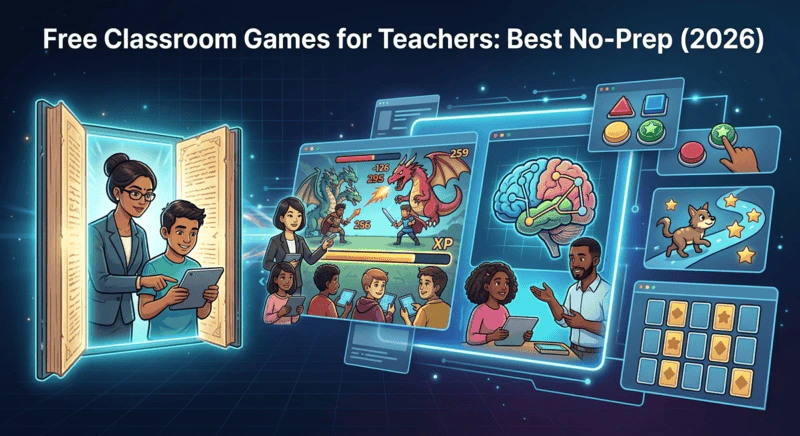
Boss Battle is the Class Cortex live multiplayer format. Students join at classcortex.com/join via QR code on any device - phone, tablet, school laptop - with no accounts, no app download, and no registration. The teacher reveals a question, students answer on their devices, correct answers deal damage to the boss on the smartboard, and the class's combined accuracy decides how hard each hit lands.
Unlike the Training Sim games, Boss Battle requires the teacher to supply the questions - which means it is not fully zero-prep, but it is the only format in this comparison that generates genuine live multiplayer energy while connecting directly to the class XP total in the Command Deck. A strong Boss Battle can shift the leaderboard significantly, which makes it a meaningful classroom event rather than a standalone session. For a full guide on running Boss Battles, see how to run a Boss Battle in your classroom.
Free tier: 2 boss types. Pro tier: 4 additional boss types, timer mode, streak bonus.
Kahoot
Best for: Fast knowledge checks with a familiar format
Kahoot is the original synchronised classroom quiz game and remains widely used. The format is well-known to students, the interface is clean, and a basic quiz can be created in minutes. The free tier is functional for core quiz delivery.
- Prep required: Yes - question sets need to be built or sourced from the Kahoot library
- Student accounts: Not needed to join (game PIN and nickname); accounts or Player ID track named results
- Persistent XP: None - session closes with the tab
- Secondary fit: Declining - most Year 7-12 cohorts have used Kahoot since primary school
- No-prep option: Public Kahoot libraries exist but quality varies significantly
Blooket
Best for: Variety of game modes on the same question set
Blooket wraps question sets in multiple different game modes - Tower Defense, Gold Quest, Factory, and others - which gives significantly more variety than Kahoot's single format. Students choose their game mode, which reduces the "I know exactly how this works" disengagement that Kahoot faces with secondary cohorts who have played it for years.
- Prep required: Yes - question sets needed, though a large public library exists
- Student accounts: Optional to join (only the teacher needs one); accounts unlock stats and solo play
- Persistent XP: None - session closes with the tab
- Secondary fit: Strong - game mode variety holds secondary attention better than Kahoot
- No-prep option: Public Blooket sets available; discovery is somewhat inconsistent
Gimkit
Best for: In-session economy mechanics for motivated classes
Gimkit's compounding economy mechanic - where correct answers earn currency that buys upgrades that earn more currency - produces higher sustained engagement within a session than any other quiz platform. For classes that engage with the economic layer, the session length and depth of play exceeds Kahoot and Blooket significantly.
- Prep required: Yes - question sets required
- Student accounts: Optional
- Persistent XP: None - session closes with the tab
- Secondary fit: Strong for engaged classes; the free tier is significantly restricted
- No-prep option: Limited - Gimkit's free library is smaller than Blooket or Kahoot
Quizizz
Best for: Asynchronous homework and self-paced review
Quizizz (rebranding as Wayground) is the most flexible quiz platform for delivery format - it runs live or asynchronously, which makes it the strongest homework and self-paced review option. The free tier is the most generous of the quiz platforms, and the question library is extensive.
- Prep required: Minimal - large public library available
- Student accounts: Required for most features
- Persistent XP: None - no connection to ongoing classroom management
- Secondary fit: Good for review and homework; live engagement is lower than Blooket or Gimkit
- No-prep option: Strong - the public library and AI question generation reduce prep significantly
Free Classroom Games Compared: Full Table (2026)
| Feature | Class Cortex | Blooket | Gimkit | Quizizz | Kahoot |
|---|---|---|---|---|---|
| Truly free games | ✓ 4 free + Boss Battle | ✓ Most modes | Limited free tier | ✓ Generous | Limited free tier |
| Zero prep required | ✓ Training games | Partial (library) | Partial (library) | ✓ Large library | Partial (library) |
| Student accounts required | ✓ None ever | Optional | Optional | Optional | Required |
| XP persists after game | ✓ All term | ✗ Session only | ✗ Session only | ✗ Session only | ✗ Session only |
| Live multiplayer format | ✓ Boss Battle | ✓ Multiple modes | ✓ Live mode | ✓ Live mode | ✓ Core format |
| Asynchronous / homework | ✗ | ✓ | ✓ | ✓ Best in class | ✓ |
| Noise monitor + behaviour management | ✓ Automated | ✗ | ✗ | ✗ | ✗ |
| Secondary school fit | ✓ Built for it | ✓ Strong | ✓ Strong | ✓ Good | Fading |
| Built into classroom dashboard | ✓ Native | ✗ Separate site | ✗ Separate site | ✗ Separate site | ✗ Separate site |
How to Use Free Classroom Games Alongside the Noise Monitor
One advantage that is easy to miss in a games comparison is the role the Sonic Defence noise monitor plays during game sessions. When you run a Boss Battle or a Training Sim game inside Class Cortex, the noise monitor is still active in the background. If the class gets too loud during a game - which happens - the visual alarm fires and the Quiet Streak resets. On Pro, the automatic XP deduction fires from the class scoreboard without the teacher having to pause the activity or intervene verbally.
This is a meaningful practical difference from running Blooket or Kahoot in a separate tab while trying to manage noise manually. In Class Cortex, the noise management and the game engagement are in the same system. The automatic consequence runs whether or not the teacher is focused on it. Behaviour management does not stop because a game has started.
Which Free Classroom Games Should You Use?
Use the Training Sim when you want a genuinely zero-prep game that runs in under a minute from cold start, requires no student accounts, and automatically awards class XP. DATA_BREACH, SECTOR_MATH, MAINFRAME_HACK, and CIPHER_PROTOCOL are best used as warm-up activities, lesson transitions, or the last ten minutes of a period that has wound down.
Use Boss Battle when you want live multiplayer energy with the engagement of Kahoot and the persistence of a classroom management system. Budget about ten minutes of lesson time and prepare your questions in advance. The format works for any subject and any content area - the game mechanic is the scaffolding, the questions are the curriculum.
Use Blooket or Quizizz when you need asynchronous homework capability or want to assign review from an existing question library. These tools complement Class Cortex rather than competing with it - they serve the homework and self-paced review use case that Class Cortex does not cover. For a head-to-head of Blooket, Gimkit, Quizizz, and Class Cortex specifically in the context of Kahoot alternatives, see the Kahoot alternative comparison.
Class Cortex is free to start with no student accounts required. The full XP system, squad leaderboard, noise monitor, seating map, timers, whiteboard, student picker, and four training games are all available on the permanent free tier. For more on how the gamification layer fits together, the full guide to gamifying your classroom covers the complete setup. For quick random decisions between games, the free classroom dice roller runs in the same tab.
No student accounts. No credit card. No install.
Frequently Asked Questions
What are the best free classroom games for teachers?
The best free classroom games for secondary teachers in 2026 are those that connect to something persistent rather than closing when the session ends. Class Cortex includes four free built-in training games - DATA_BREACH (typing speed), SECTOR_MATH (mental arithmetic), MAINFRAME_HACK (logic puzzles), and CIPHER_PROTOCOL (code-breaking) - plus a live multiplayer Boss Battle where students join by QR code. All automatically award XP to the class scoreboard that carries across every lesson. Blooket and Quizizz are strong standalone options for question-based game formats with a content library.
What free classroom games require no preparation?
The Training Sim games inside Class Cortex require zero preparation - they run natively in the app with no content to build, no accounts for students to create, and no external site to navigate to. DATA_BREACH, SECTOR_MATH, MAINFRAME_HACK, and CIPHER_PROTOCOL are all ready to launch from the dashboard in under ten seconds. Boss Battle requires the teacher to prepare questions, but students need no accounts and join instantly via QR code.
Do classroom games need student accounts?
Class Cortex runs all eight of its built-in training games and the Boss Battle multiplayer format with zero student accounts. Students join Boss Battles at classcortex.com/join via QR code on any device - no registration, no email, no app download. Blooket, Gimkit and Kahoot let students join live games without accounts, but solo play, stats and progress tracking need student accounts or paid plans. Quizizz requires accounts for most features. If student account friction is a barrier at your school, Class Cortex is the only tool in this comparison that is fully account-free.
What is the Training Sim?
The Training Sim is the built-in classroom mini-game module inside Class Cortex. The free tier includes four games: DATA_BREACH (typing speed), SECTOR_MATH (mental arithmetic), MAINFRAME_HACK (logic puzzles), and CIPHER_PROTOCOL (code-breaking). The Pro tier adds four additional games: Sub Link Alpha, Memory Uplink, Kinetic Pulse, and Neural Bingo. Six of the eight games award XP to the class scoreboard automatically on completion (Kinetic Pulse and Neural Bingo need the teacher to award XP manually), connecting the game session to the persistent engagement system.
How is Boss Battle different from Kahoot?
Both Boss Battle and Kahoot are live classroom game formats where students answer questions on their own devices. The key differences are: Boss Battle requires no student accounts (students join by QR code with no registration), it feeds directly into the persistent XP and squad scoreboard that runs across every lesson rather than closing when the session ends, and it is built into the same dashboard as the class management tools rather than being a separate platform. Kahoot is a standalone session with no connection to ongoing classroom management.
Further Reading