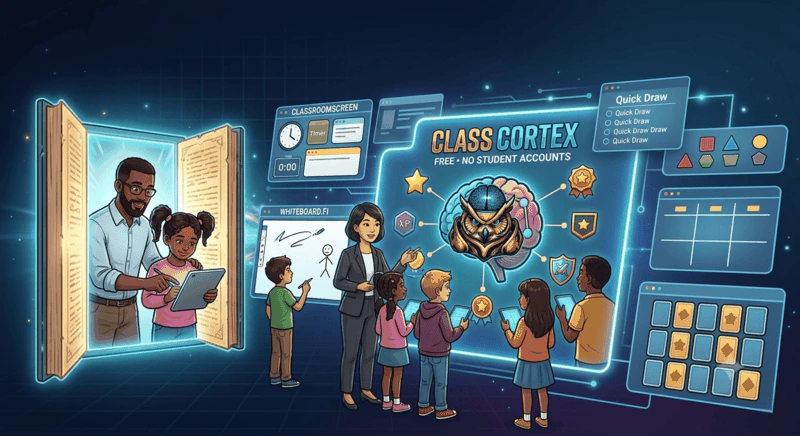
There is no single Jamboard replacement. Whiteboard.fi suits individual student boards the teacher checks in a grid. Classroomscreen suits a simple display whiteboard beside utility widgets. Class Cortex's Tactical Whiteboard suits teachers wanting ready-made templates, a shared whole-class board on Pro, and a whiteboard connected to persistent XP and squads, with no student accounts.
For years, Google Jamboard was the default classroom whiteboard for any school already using Google Workspace. Free, built in, and simple enough to open without training, it quietly became a staple in thousands of classrooms. Its permanent shutdown at the end of 2024 left a gap that no single tool has fully filled, and the result is a more fragmented landscape than teachers had to navigate before.
This guide covers the classroom whiteboard tools worth knowing about in 2026, what each one is actually built for, and where a general-purpose whiteboard is not enough on its own.
What Happened to Jamboard, and What Teachers Moved To
Google shut down Jamboard permanently at the end of 2024, converting existing boards to PDF on a best-effort basis and removing access to the live app entirely. Schools scattered across a few different replacements depending on what they actually needed it for. Some moved to Google Slides with its basic drawing tools for simple annotation. Others adopted FigJam, Google's recommended external partner for teams staying inside a similar collaborative canvas format. Neither was purpose-built for a classroom, which is part of why dedicated classroom whiteboards like Whiteboard.fi and Class Cortex's Tactical Whiteboard picked up a meaningful share of displaced Jamboard users.
Whiteboard.fi: Student-Facing, No Gamification
Whiteboard.fi is a free tool built around giving every student their own individual whiteboard, viewable in real time by the teacher on a single overview screen. It is genuinely useful for checking individual understanding during a lesson, since the teacher can scan every student's board at once rather than walking the room. It has no gamification layer, no XP, and no squad system, and it is designed as a standalone activity tool rather than a broader classroom management platform.
Classroomscreen Whiteboard: Utility Only
Classroomscreen bundles a whiteboard alongside other utility widgets like a timer and a random name picker on one customisable display screen. The whiteboard itself is functional but basic, and like the rest of Classroomscreen, it has no gamification, no XP, and no student accounts. For teachers who specifically want a Classroomscreen alternative that keeps the utility widgets but adds a persistent gamification layer on top, this is the gap Class Cortex is built to close.
Class Cortex Tactical Whiteboard: Gamification-Connected
What makes the Tactical Whiteboard different
- Full canvas toolset: Pen, eraser, shapes, stickers, text, a fill tool, grid toggle, laser pointer, zoom and pan, and unlimited undo and redo, in both dark and light mode.
- Connected to the same XP economy: Unlike a standalone whiteboard, the Tactical Whiteboard sits inside the same browser tab as the Command Deck squad system, so switching from a diagram to the scoreboard requires no app change.
- PNG export on both tiers: A finished board can be exported as an image and reused or shared, with Pro adding an Elite Shape and Sticker Library on top.
- Live Mission HUD overlay: Keeps class-relevant information visible on the whiteboard itself rather than requiring a separate screen or tab.
- Ready-made templates: Six structures drop straight onto the canvas, with Think Pair Share and a Venn Diagram free on every plan, and Mindmap, KWL Chart, Kanban Board, and Reflection Table on Pro.
- Live class collaboration (Pro): The whole class draws on the same board at the same time, joining from their own devices with a room code and no account.
The whiteboard is one of ten tools running in the same tab, alongside Arc and Detonator timers, the Sonic Defence Noise Monitor, and the Command Deck. On the free tier, the noise monitor fires a visual alarm when the room gets loud during whiteboard work and awards Quiet Streak bonus XP while it stays quiet, and on Pro, XP is deducted automatically with no teacher action needed. For the broader case for keeping every classroom tool in one place, see our guide on free interactive whiteboards for teachers.
Live Collaboration: The Whole Class on One Board
The most significant shift in the classroom whiteboard landscape since Jamboard closed is not another set of drawing tools. It is whether the class can draw on the board at all, and how. Whiteboard.fi answers that by giving every student a separate canvas the teacher reviews in a grid. Class Cortex answers it the opposite way: one shared board that the whole class works on together in real time, joined at classcortex.com/whiteboard with a room code and no account, no email, and no app download.
That difference matters more than it first appears. A grid of thirty individual boards is the right tool for checking whether each student can do something on their own. A single shared board is the right tool for building something together, which is what a brainstorm, a concept map, or a class-wide sort actually is. Live collaboration is a Pro feature; the whiteboard itself, and two of its templates, are available on every plan. For a closer look at the shared-board approach, see our live collaborative whiteboard guide.
- No accounts, same as Boss Battle: Students enter a room code and pick a display name. Nothing is stored about them and their connection ends when the tab closes.
- Students can only edit their own work: Anyone can add to the shared board, but nobody can move or delete a classmate's contribution, so a live board does not descend into a scramble.
- Freeze the board instantly: Pause every student's input in one click to pull attention back to the front of the room without ending the session.
Ready-Made Templates Instead of Drawing the Structure Yourself
Drawing a KWL chart or a Venn diagram by hand eats the first few minutes of a lesson before the thinking starts. Jamboard's shutdown removed the template shortcuts a lot of teachers relied on for exactly this, and most replacements did not fill that gap. The Tactical Whiteboard ships with six ready-made structures: Think Pair Share and a Venn Diagram free on every plan, plus Mindmap, KWL Chart, Kanban Board, and Reflection Table on Pro. Each one drops in as a single object that can be moved, resized, or deleted like anything else on the canvas, with the class writing their own content on top the same way they would on a printed handout.
Head-to-Head Comparison
| Feature | Class Cortex | Whiteboard.fi | Classroomscreen |
|---|---|---|---|
| Student accounts required | None | None | None |
| Individual student whiteboards | ✗ | ✓ | ✗ |
| Live shared board (whole class, one canvas) | ✓ (Pro) | ✗ (individual boards) | ✗ |
| Ready-made whiteboard templates | ✓ (2 free, 4 Pro) | ✗ | ✗ |
| Persistent XP & squad system | ✓ | ✗ | ✗ |
| PNG export | ✓ | Limited | ✗ |
| Noise monitor included | ✓ (XP-connected) | ✗ | Display + bell |
| Live multiplayer (Boss Battle) | ✓ (no accounts) | ✗ | ✗ |
| Additional utility tools bundled | ✓ (10 total) | ✗ | ✓ (widgets) |
| Free tier available | ✓ | ✓ | ✓ |
Which Whiteboard Tool Should You Use
If the primary need is checking individual student work in real time across a whole class, Whiteboard.fi's per-student board view does that specific job well. If the need is a simple, no-frills display board alongside a timer and random picker with nothing else attached, Classroomscreen covers it. If the whiteboard needs to connect to a broader gamification system, XP that persists across the term, squads, and a behaviour layer like the noise monitor, Class Cortex is the only option here that ties all of it together. For a deeper look at that broader gamified setup, our guide on gamifying the classroom without losing control covers the full picture.
The Verdict
There is no single Jamboard successor, because the tools that filled the gap it left are not all trying to do the same job. Whiteboard.fi is the strongest choice for per-student board visibility, where each student works alone and the teacher checks thirty separate canvases. Classroomscreen is the strongest choice for a minimal, gamification-free utility display. Class Cortex is the strongest choice for teachers who want ready-made lesson structures, a single shared board the whole class builds on together, and a whiteboard that is one piece of a larger system rather than a standalone tool managed alongside everything else.
The right answer depends on what you actually lost when Jamboard disappeared: an individual practice tool, a simple display board, or a whiteboard that talks to the rest of your classroom management setup.
No student accounts. No credit card. No install.
Frequently Asked Questions
What is the best free classroom whiteboard for teachers?
The best choice depends on what you need it for. Whiteboard.fi is strong for student-facing individual practice boards. Classroomscreen suits teachers who want a simple display-only whiteboard alongside other utility widgets. Class Cortex is the strongest option for teachers who want ready-made templates, a live shared board the whole class can draw on together, and a whiteboard connected to a persistent XP and squad system, with no student accounts required for any feature.
What happened to Google Jamboard?
Google shut down Jamboard permanently at the end of 2024. Schools that relied on it for classroom whiteboarding moved to a mix of replacements, including Google Slides with basic drawing tools, FigJam, and dedicated classroom-focused whiteboards such as Whiteboard.fi and Class Cortex's Tactical Whiteboard.
Does Whiteboard.fi have gamification features?
No. Whiteboard.fi is a free, student-facing collaborative whiteboard tool focused on giving each student their own individual board that the teacher can view. It does not include XP, squads, or any gamification layer, and is not designed as a broader classroom management system.
Can I export my whiteboard as an image in Class Cortex?
Yes. The Tactical Whiteboard in Class Cortex supports PNG export on both the free and Pro tiers, so a completed board, diagram, or brainstorm can be saved and shared or reused in future lessons. Pro adds an Elite Shape and Sticker Library, four extra templates, and live class collaboration on top of the base drawing tools.
Can students draw on the Class Cortex whiteboard?
Yes, on Pro. Live collaboration lets the whole class draw on the same board in real time. Students join at classcortex.com/whiteboard with a room code and a display name, with no account, no email, and no app download, the same account-free approach used for Boss Battle at classcortex.com/join. On the free tier the whiteboard is a teacher display tool, still with no student accounts anywhere in the product.
Further Reading